|
|
Understanding
Channel s In Photoshop®
Part One |
 |
|
|
|
|
|
|
An Image is a "Channel Sandwich"
An image is basically a "channel sandwich"
with one channel each for red, green and blue in an
RGB image or cyan, magenta, yellow and black in a CMYK
image.
There would be 3 channels in an RGB image and 4 in
a CMYK image to start with.
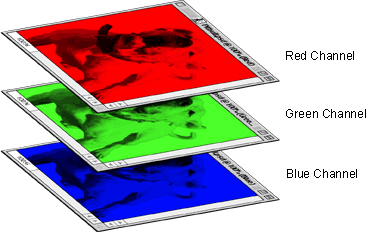
Note: Channels
are NOT the same as Layers.
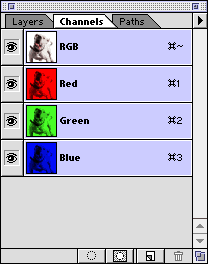
1. If you open an RGB image and display
the Channels palette you will see the red, green and
blue channels plus an "RGB" channel. The "RGB"
channel is only a composite of the three channels.
|
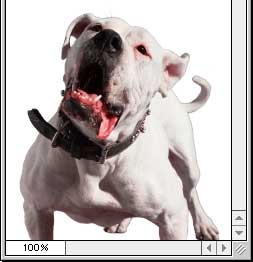
RGB image...
|
Channels palette for RGB

|
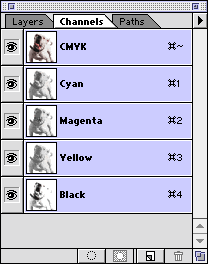
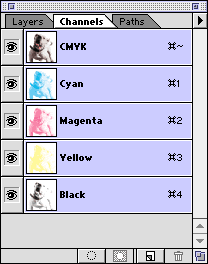
2. If you open a CMYK image and display the Channels
palette you will see the cyan, magenta, yellow and black
channels plus a "CMYK" channel. The "CMYK"
channel is also just a composite of the four channels.
|
CMYK image...
|
Channels palette for CMYK
|
Each channel in a true color image (RGB or CMYK) has
an 8-bit color depth (for more data on color depth click
here). An RGB image is composed of three 8-bit channels
that combine to form a single 24-bit image (3 x 8 =
24). A CMYK image is composed of four 8-bit channels
that combine to form a single 32-bit image (4 x 8 =
32).
Note: Each pixel in an RGB image has a color depth of 24 bits and each pixel in a CMYK
image has a color depth of 32 bits.
3. By default, Photoshop displays channels in grayscale.
You can also display the channels in color. Choose File
> Preferences > Display & Cursors, then
check "Color Channels in Color".
Channels in color for RGB...
 |
Channels in color for CMYK...
 |
Click
Here To Continue... |